
Welcome Guide

Accessing Gallop Technology Group’s Billing Portal for the first time.

You will receive welcome email from AP@GallopTechGroup.com:

Click on “Set Password”

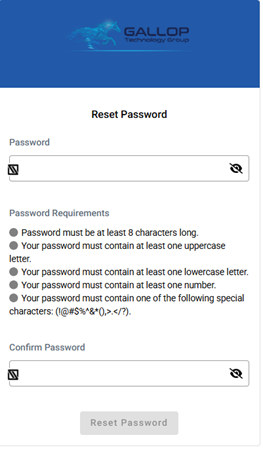
After following the link you will be prompted to set your password, please set secure password.

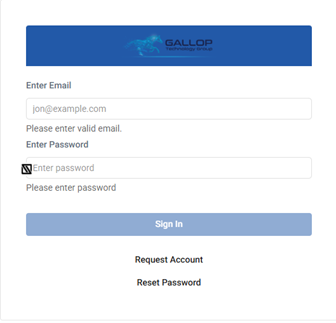
You will now be prompted to login, enter your email and password.

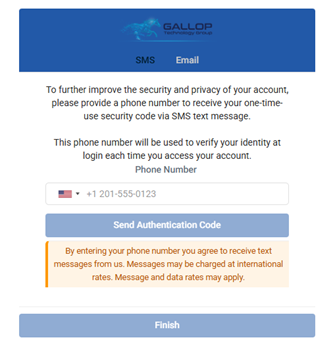
After entering in your email and password, you will be prompted to setup 2-factor authentication. 

Please enter in your cell phone number or number that can receive text messages and click “Send Authentication Code”. 

Enter in the authentication code:

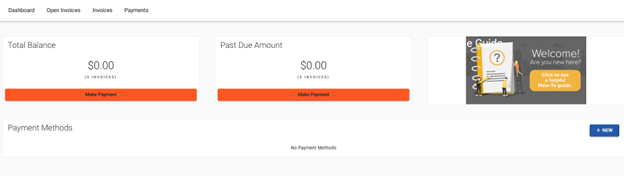
Congratulations, you have now successfully gained access to your billing portal!

From here you can manage or add payment methods, see invoices and payment transactions.

If you have any issues or questions, please email Admin@GallopTechGroup.com or submit a ticket on our support page (Support)