Practical, Proven, and Secure Tools for Today’s Hybrid Teams
With remote and in-office work blending into one flexible structure, small businesses need the right hybrid work tools to stay secure and productive. It’s no longer a question of whether your team uses digital tools—it’s about using the right ones. From secure communication to reliable password management, choosing hybrid team tools that are trusted by experts can make the difference between thriving and just getting by.
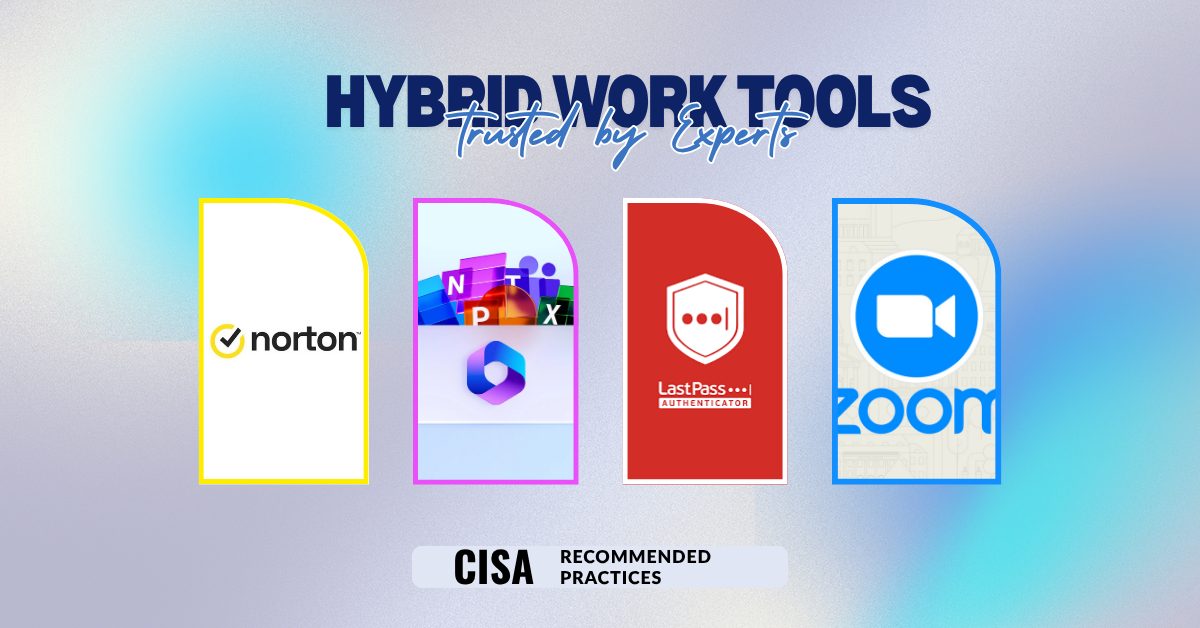
Below are 5 hybrid work tools that are expert-approved, secure, and designed with flexibility in mind.
Microsoft 365: The Gold Standard in Productivity
A Microsoft 365 subscription has become a staple for hybrid teams. It offers essential apps like Word, Excel, and PowerPoint, but what makes it powerful for hybrid work is its collaboration platform: Teams.
Microsoft Teams enables seamless communication via chat, calls, and video meetings. Add in SharePoint for document management and OneDrive for cloud storage, and you have a hybrid work tool that covers nearly every workflow your team will need.
Security is also a major factor. Microsoft 365 includes advanced threat protection, data loss prevention, and encryption—features essential for businesses that can’t afford a security slip-up. Whether you’re a law firm, marketing agency, or financial services provider, Microsoft 365 is a secure, scalable, and trusted hybrid work tool.
Why it works:
- Easy document collaboration
- Robust security and compliance features
- Works across all devices
Zoom: Reliable Video Conferencing for Hybrid Teams
When it comes to virtual meetings, Zoom remains one of the most reliable hybrid team tools available. It provides high-quality video and audio, supports large team calls, and integrates with other tools like Microsoft 365 and Slack.
Zoom also includes features like breakout rooms, whiteboards, and webinar hosting—making it more than just a meeting platform. Security features like end-to-end encryption and role-based access give SMBs peace of mind.
Why it works:
- Easy to use interface
- Secure video communication
- Integrates well with other hybrid work tools
Hybrid teams rely on consistent, uninterrupted communication. Zoom offers a stable and flexible platform whether you’re conducting a team huddle or hosting a client-facing webinar.
LastPass: Password Management Made Easy
Passwords are often the weakest link in a hybrid work environment. That’s why password managers like LastPass are crucial. It helps employees generate, store, and share passwords securely—without having to remember them all.
For small businesses managing hybrid work, LastPass also provides admin control, activity logs, and two-factor authentication options. It ensures only the right people can access sensitive systems, no matter where they are working from.
Why it works:
- Reduces password reuse and weak credentials
- Enables secure sharing
- Central admin dashboard for visibility and control
Using hybrid work tools like LastPass adds a layer of protection against phishing, credential stuffing, and insider threats.
Norton Small Business: All-in-One Cybersecurity
Protecting every endpoint in a hybrid work setup can feel overwhelming. Norton Small Business simplifies that by offering device protection, malware defense, firewall security, and a built-in VPN.
This hybrid work tool runs quietly in the background, ensuring that devices are protected whether they’re in the office or at home. The VPN is especially important for employees using public Wi-Fi.
Why it works:
- Real-time threat protection
- Identity and data breach monitoring
- Easy to deploy on multiple devices
With hybrid work here to stay, cybersecurity is no longer optional. Norton helps SMBs defend against evolving digital threats without needing a full-time IT staff.
CISA-Recommended Practices: Security Guidance That Matters
Sometimes the best hybrid work tools aren’t tools at all—they’re practices. The Cybersecurity and Infrastructure Security Agency (CISA) offers extensive free guidance on how businesses can operate safely in a hybrid environment.
From enabling multi-factor authentication (MFA) to implementing a zero trust model, CISA’s resources are backed by cybersecurity professionals and updated regularly.
Why it works:
- No cost to access
- Credible, government-backed guidance
- Helps create a culture of cybersecurity awareness
Following CISA’s recommendations ensures your team is not only using secure hybrid work tools but also applying smart habits to protect sensitive data.
Choosing the Right Tools: Mistakes to Avoid
While hybrid work tools offer tremendous benefits, choosing and implementing the wrong ones can introduce unnecessary risks and inefficiencies. Here are common pitfalls to avoid:
- Ignoring Integration Compatibility
Not all tools work well together. Before committing to a new platform, make sure it integrates smoothly with your existing Microsoft 365 subscription or communication tools like Zoom. Incompatibility issues can disrupt workflows and create confusion among team members.
- Overlooking Employee Training
A hybrid work tool is only as effective as the people using it. Don’t assume everyone knows how to use password managers or cloud collaboration tools. Provide training sessions, short how-to guides, or onboard new hires with tutorials. This helps your hybrid team tools reach their full potential.
- Choosing Free Over Secure
Free tools may be attractive for cost-saving reasons, but they often lack robust security features. SMBs should prioritize secure, scalable solutions like Norton or LastPass, especially when handling sensitive data.
- Forgetting Mobile Usability
In a hybrid environment, employees often switch between laptops, tablets, and phones. Make sure your hybrid work tools perform well across all devices. Microsoft 365, for instance, excels in offering a seamless experience regardless of platform.
- Skipping Regular Updates and Reviews
Technology evolves quickly. Regularly review your hybrid work tool stack to make sure it’s still meeting your business needs and following current security standards. This includes applying software updates and following guidance from trusted sources like CISA.
Avoiding these mistakes can help you get the most from your hybrid team tools while keeping your business secure, connected, and productive.
Conclusion
Choosing the right hybrid work tools doesn’t have to be overwhelming. Start by focusing on essential needs like communication, file sharing, password security, and endpoint protection. The five tools and practices mentioned—Microsoft 365, Zoom, LastPass, Norton, and CISA guidance—offer a comprehensive approach to keeping your hybrid workforce secure and efficient.
When used together, these hybrid team tools create a strong digital foundation that’s easy to scale and simple to manage. Whether you’re upgrading your current setup or starting from scratch, these tools make your hybrid work model smoother, safer, and more productive.
Need help getting started? Let Gallop Technology Group help you simplify your hybrid work strategy. Whether you need help selecting the best hybrid work tools or setting up a secure Microsoft 365 subscription, we’re here to support your journey to smarter, safer work.
Get your free Assessment and Domain Security Check at https://www.galloptechgroup.com/free-domain-security-check/
Source: