Why IT Security Can Make or Break Your Business
Technology has become the backbone of nearly every business, no matter the size. From storing customer records and financial data to enabling team collaboration, your company’s success depends on the reliability and safety of your IT systems. Yet, many small businesses underestimate the risks until it’s too late.
That’s where IT security steps in. Strong IT security protects your digital assets, keeps your business running smoothly, and ensures you’re prepared against cyber threats. Weak security, on the other hand, creates gaps that hackers and data thieves are quick to exploit.
At Gallop Technology Group, we know small businesses can’t afford downtime or data loss. That’s why we offer a Free Domain Security Check Up, along with tailored cybersecurity services to protect companies like yours. This checklist is designed for general audiences—no tech background required—and will help you understand the strengths and weaknesses of your IT setup.
IT Security: The Foundation of a Safe Business
Before diving into the checklist, it’s important to understand what IT security means. Simply put, IT security is the practice of protecting your business’s technology—computers, networks, software, and data—against misuse, theft, or damage. For small businesses, this often begins with an IT security assessment to find weaknesses and ends with setting up managed IT security services that provide ongoing protection.
Think of IT security as locking the doors of your office. You wouldn’t leave the front door wide open at night. In the same way, you shouldn’t leave your digital “doors” open to cybercriminals.
Step 1: Take Stock of What You Have
Hardware and Software Inventory
Start by making a list of all the equipment and programs your business uses. This includes computers, printers, servers, internet routers, and even employee laptops or phones used for work. For software, track tools like Microsoft Office, accounting software, and any specialized programs you depend on.
Why this matters: outdated or unlicensed software is one of the most common weak points in IT security for small business owners. Keeping an inventory helps you know what needs updating or replacing.
Cloud Services
Many businesses now use cloud services for email, storage, or project management. While convenient, they can be risky if not set up properly. Make sure your cloud accounts use secure passwords and, ideally, multi-factor authentication. Check whether the provider meets industry security standards.
Step 2: Strengthen Access Control
User Accounts and Permissions
Every employee should have their own login, and their access should match their job role. For example, a receptionist may not need access to financial records. Old accounts from past employees should be deleted immediately.
Authentication
Authentication is simply how users prove they are who they say they are. A strong approach is using multi-factor authentication (MFA)—this means a password plus something else, like a code texted to a phone. MFA makes it much harder for hackers to break in.
Step 3: Protect Your Data
Encryption
Encryption is like putting your data in a locked safe—only someone with the right key can read it. Sensitive files, customer data, and emails should all be encrypted both when stored and when being sent.
Backup and Recovery
Even with the best security, things can go wrong. That’s why backups are essential. Your data should be backed up regularly, stored securely (not just on the same computer), and tested to make sure it can be restored. A proper backup is a business lifesaver if you’re hit by ransomware or a system crash.
Step 4: Secure Your Network
Firewalls
A firewall acts as a digital security guard, deciding which data is allowed in and out of your network. Without one, your business is wide open to outside attacks.
Intrusion Detection and Prevention
Some businesses add tools that watch for suspicious activity and shut it down before it causes harm. While this might sound technical, many managed IT security providers handle it behind the scenes, giving small businesses peace of mind.
Step 5: Don’t Forget the Devices
Antivirus and Anti-Malware
Every device—from your desktop to your employee’s laptop—should have up-to-date antivirus protection. These programs catch harmful software before it spreads.
Patch Management
Hackers love outdated software because it often contains flaws they can exploit. Regularly updating your operating systems and applications closes these loopholes. Think of it like fixing broken locks on your office doors.
Step 6: Compliance and Policies
Following the Rules
Depending on your industry, you may need to follow regulations like HIPAA (healthcare), PCI-DSS (payment processing), or GDPR (if you handle European customers’ data). Even if compliance isn’t required, following these standards improves your IT security posture.
Security Policies
Policies set the rules for how employees use technology at work. An Acceptable Use Policy (AUP) makes it clear what is allowed and what isn’t—like not downloading risky apps on work devices. An Incident Response Plan ensures you know what to do if a breach happens.

Step 7: Train Your Team
Security Awareness Training
Employees are often the first line of defense. Simple mistakes, like clicking a suspicious email link, can compromise an entire system. Training employees to spot phishing attempts or to use strong passwords goes a long way.
Practice with Simulations
Just as companies hold fire drills, businesses should run cybersecurity drills. Simulated phishing attacks or penetration testing (hiring an expert to try to “break in”) help expose weaknesses before real attackers do.
Step 8: Monitor and Maintain
Continuous Monitoring
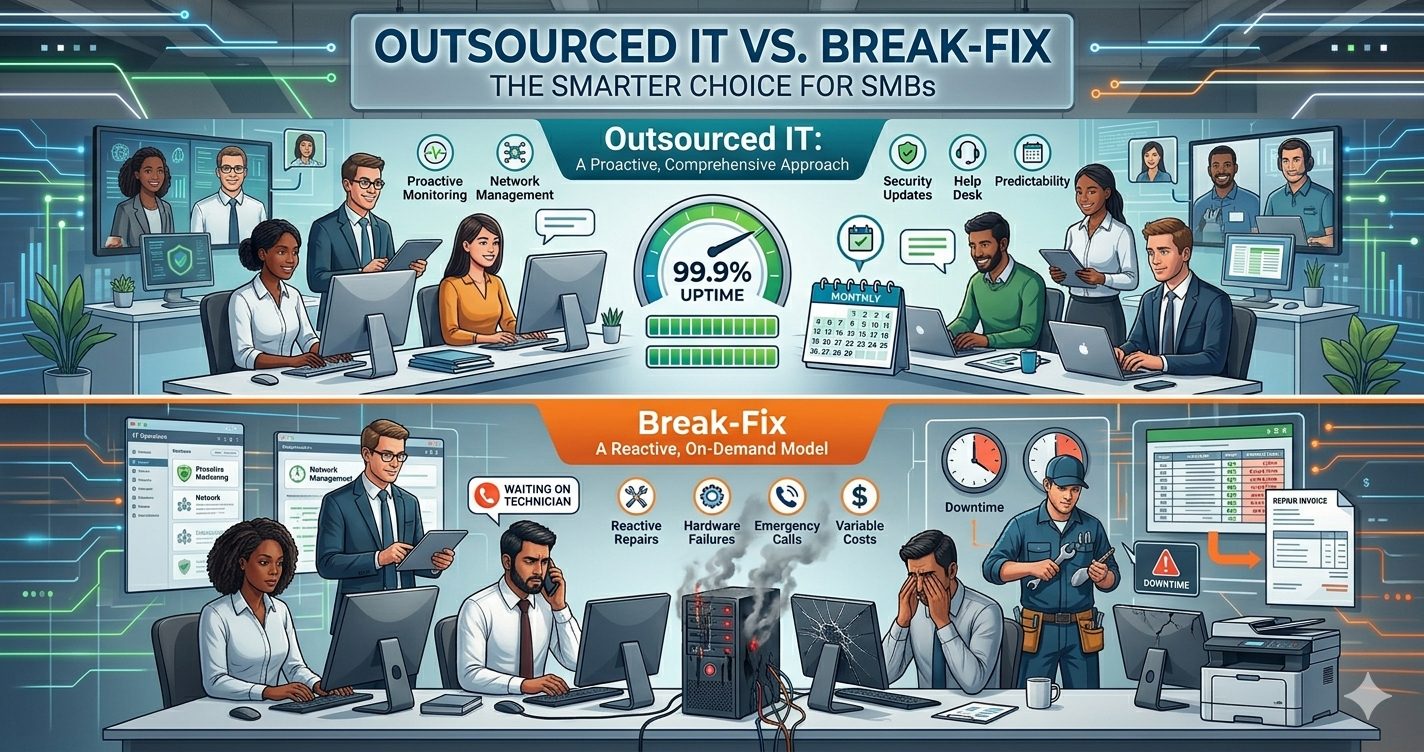
Good security isn’t a one-time project. Ongoing monitoring of your systems ensures threats are detected quickly. Many small businesses choose managed IT security for this, since it’s more affordable than hiring a full-time IT security team.
Regular Maintenance
Regularly servicing hardware and updating software keeps your IT systems reliable. This also prevents small problems from turning into major business disruptions.
Step 9: Manage Your Vendors
Vendor Security Practices
Your business may rely on outside vendors for payroll, marketing, or cloud storage. If those vendors have weak security, it puts your business at risk. Review their practices to ensure they meet your standards.
Service Level Agreements (SLAs)
SLAs are the promises your vendors make about service and security. Check them regularly to make sure they’re keeping their end of the deal.
IT Security Assessment: Closing the Gaps
Every small business should perform an IT security assessment at least once a year. This is a structured review of your technology to identify gaps before attackers do. Many companies find that outsourcing this task saves time and ensures a more thorough review.
The good news: with the right steps in place, small businesses can close their IT security gaps and gain strong protection without overspending.
Secure Your Business Today
IT security is no longer optional—it’s the shield that protects your business’s data, reputation, and operations. Whether it’s performing a simple IT security assessment, setting up reliable backups, or moving to a managed IT security plan, the key is to take action before a problem arises.
At Gallop Technology Group, we specialize in helping small businesses stay safe with:
- A Free Domain Security Check Up to identify hidden risks.
- Tailored cybersecurity services designed for your size and industry.
- Ongoing managed IT security that continuously protects your systems.
Call us today at 480-614-4227 to safeguard your business and eliminate IT security risks before they disrupt your success.
Source:
National Institute of Standards and Technology (NIST). Cybersecurity Framework. https://www.nist.gov/cyberframework