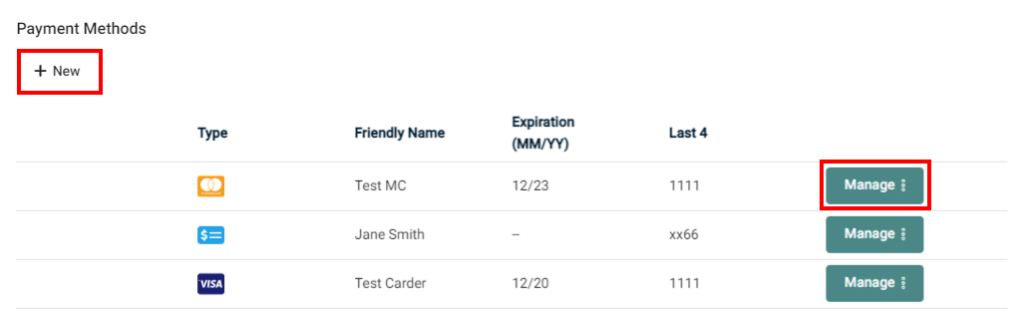

On the Organization Profile, the “Payment Methods” section lists all credit cards or bank accounts on file for a given client.
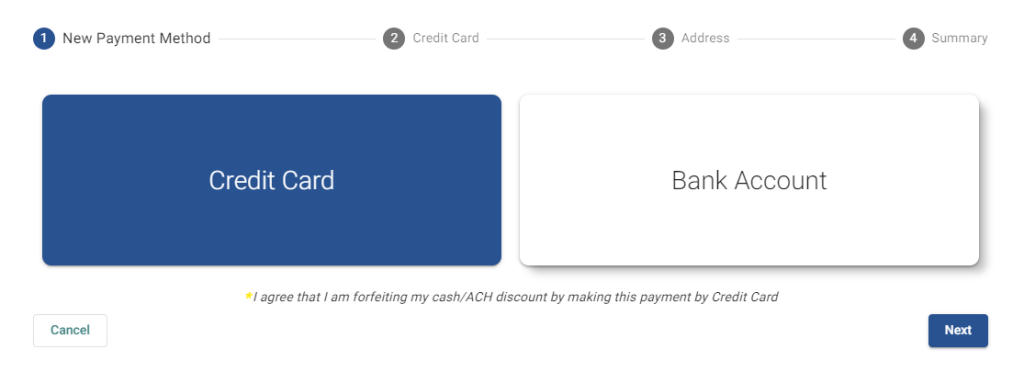
Click or tap to toggle between the Credit Card or ACH (Bank Account) options, and then proceed with “Next”.
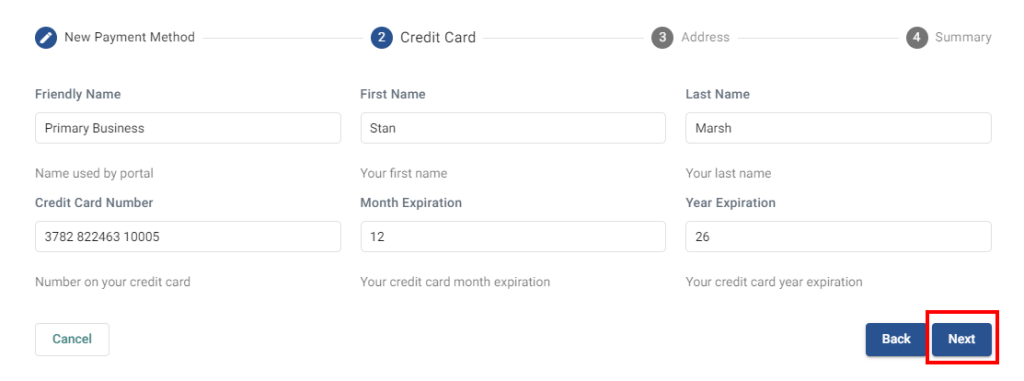
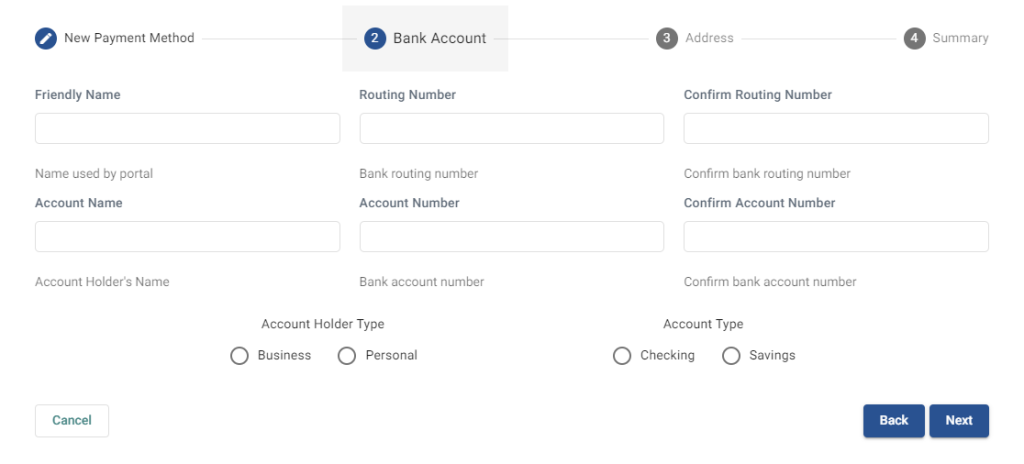
The “Friendly Name” is simply the title of the payment information for easy recognition used by the portal.
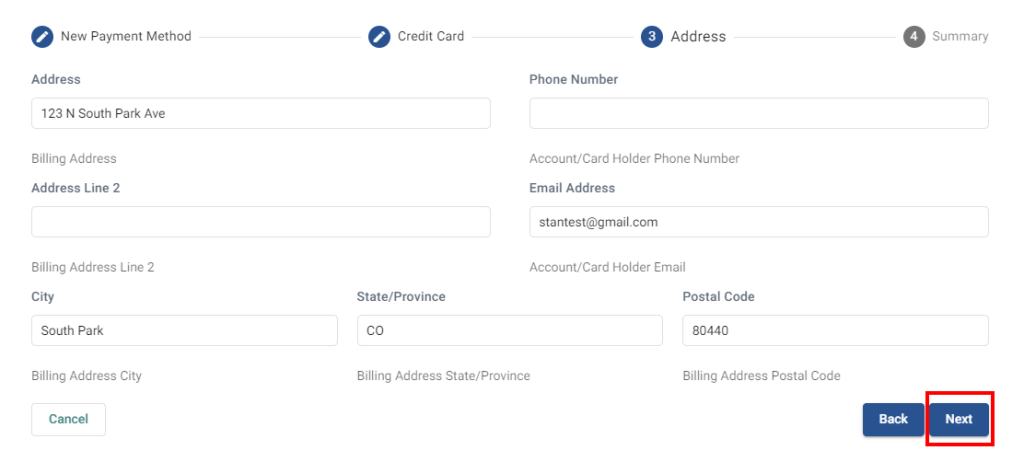
Fill in the address information if required.
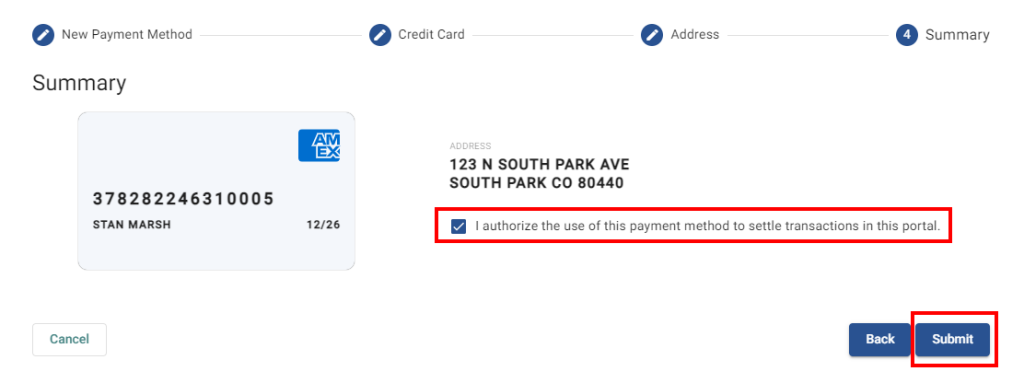
Check-mark the box to authorize the addition of the payment method. NOTE: Clicking “Submit” does NOT process a transaction!
Once submitted, you should see a success confirmation that the payment method was added.
This is then stored in the secure, PCI compliant, Customer Vault*.
This is what ACH entry screen looks like.
[vc_row][vc_column][vc_column_text]
[/vc_column_text][/vc_column][/vc_row][vc_row][vc_column][vc_btn title=”SUBSCRIBE” color=”primary” align=”center” button_block=”true” link=”url:https%3A%2F%2Fwww.galloptechgroup.com%2Fsubscribe%2F|title:Subscribe”][/vc_column][/vc_row]